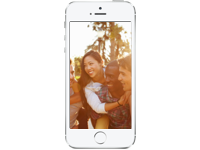
Football team, chess club, after-school group — one private album everyone can contribute to.
Download Cluster Free
Whether it's a sports team, drama club, or after-school program — create a private album where coaches, parents, and students can share photos and updates. Everything stays in a private space — no social media required, no public profiles, no strangers.

Set permissions so coaches and team leads can post, while parents can view and comment. You're in control of who does what. Simple settings, no complicated setup — built by a small team that values ease of use.
Start a new group album in seconds.
Send a link to the people you want to join.
Set permissions so only the right people can post.
Members are notified when new photos are added.
Easy to set up and quite user friendly. Good chance to share pics and comments with others in a private forum.
Finally a completely easy to use photo sharing app that lets you write about the pictures too. I've tried a bunch, this is the best and easiest. My families love it!
We now have close to 30 family members - cousins, uncles, grandparents, in-laws - connecting across the US from Hawaii to Maine to Florida. The UI is perfectly simple for everyone from 16 to 81 to use. Thank you so much for making this and having it ad-free and accessible.
Only people you invite can see your photos and videos. Nothing is public, ever.
Cluster is built and maintained by a small, independent company that puts your privacy first.
No algorithms, no ads, no strangers. Just the people you choose to share with.
Turn your group's photos into a gorgeous printed photo book. Learn more →
Cluster is free to get started — up to 10 groups with 1,000 photos each. To unlock larger groups and more features, subscribe via the App Store or Google Play.
Read more →No. Everything you post is completely private. Only people who have been invited to a group can see its contents. Nothing is ever public.
Read more →Your photos are stored securely and are only accessible to members of the group they were posted to. We never share your photos with third parties.
Read more →Open the group, tap the invite button, and share the private link via text, email, or any messaging app. Only people with the link can request to join.
Read more →Open the group settings and adjust who can post, comment, and invite new members. Admins have full control over group permissions.
Read more →Free to download. Free to use. Start sharing with your group.
Download Cluster Free See all use cases →